Now live on the App Store

Stop buying
batteries you already own
Know what's where.

Where's My Battery? is the simple way to track every battery in your house — what's in the drawer, what's in your kid's toys, and exactly when you're about to run out.

Download on theApp Store Free · No sign-up · No account needed
On-device only
Set up in 60 seconds
No account needed
Where's My Battery? app showing the Devices screen with a list of household items and their battery types
AA in stock7 rechargeable
LR44Running low
🔋 "I bought AAs — turns out I had eleven" · 🚗 "The remote control digger needs Li-ion, not AA" · 🧸 "Which toy was the one eating C batteries?" · 🔋 "Three different drawers, none of them organised" · 🔋 "I bought AAs — turns out I had eleven" · 🚗 "The remote control digger needs Li-ion, not AA" · 🧸 "Which toy was the one eating C batteries?" · 🔋 "Three different drawers, none of them organised" ·

Every battery has two locations: storage, or in something.

Where's My Battery? splits your world the same way your house already works — what's in the drawer, and what's already doing a job.

01 — Storage

See your stock at a glance

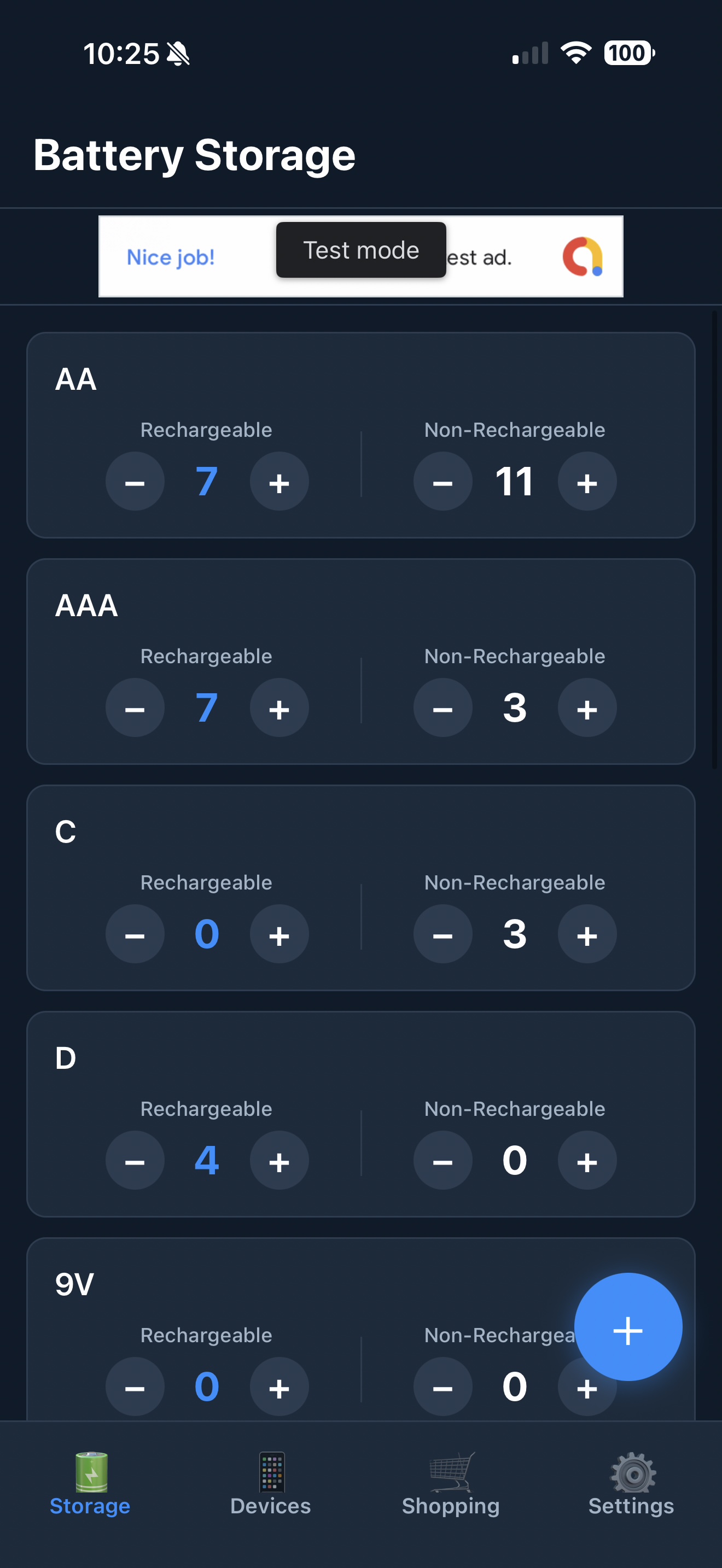
Every battery type you own, rechargeable and non-rechargeable counted separately, with one tap to adjust either side. No spreadsheets, no sticky notes on the cupboard.

  • Tap + or − to update counts instantly
  • Rechargeables tracked separately and highlighted
  • Covers every common type — AA to CR2032 to 18650
Battery Storage screen showing AA, AAA, C and D battery counts
02 — Devices

Know what's already powered

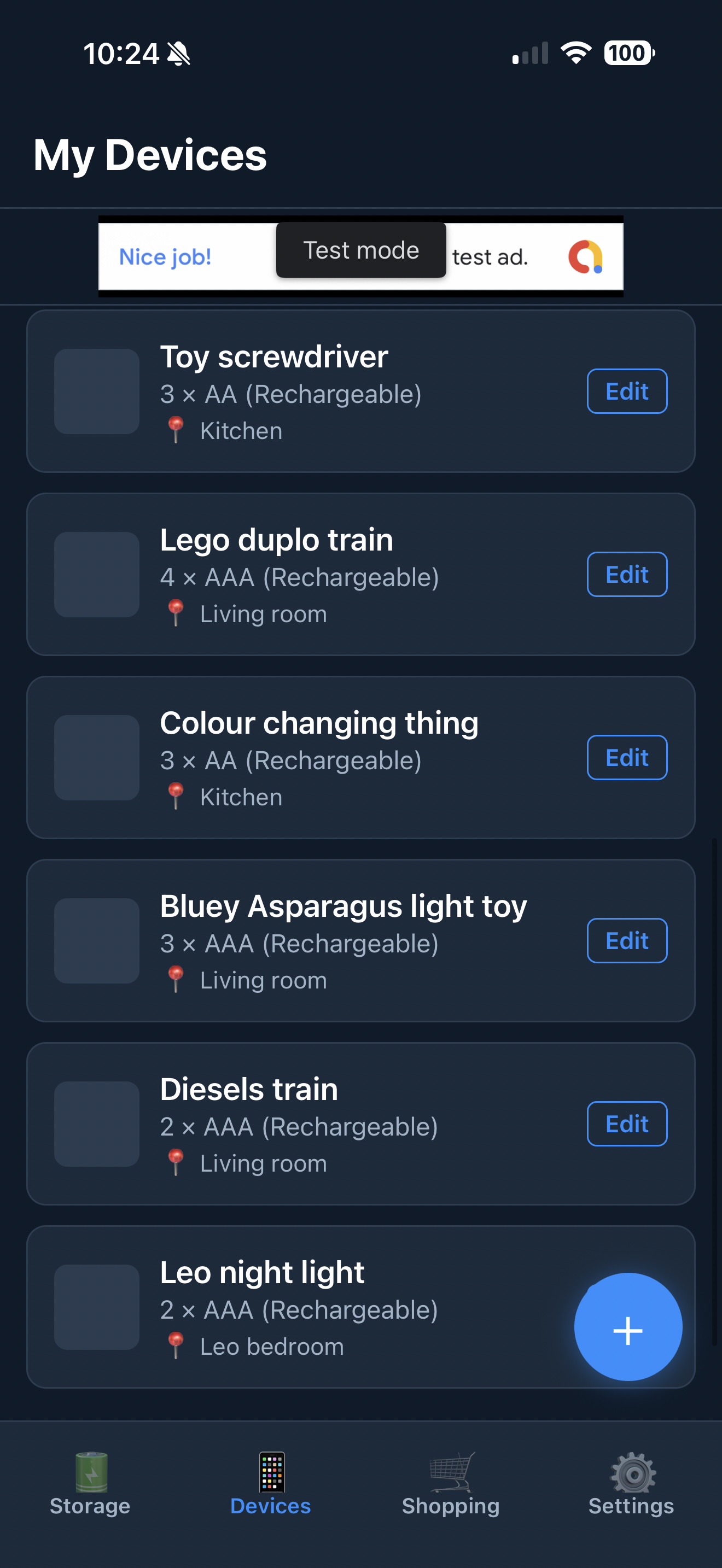
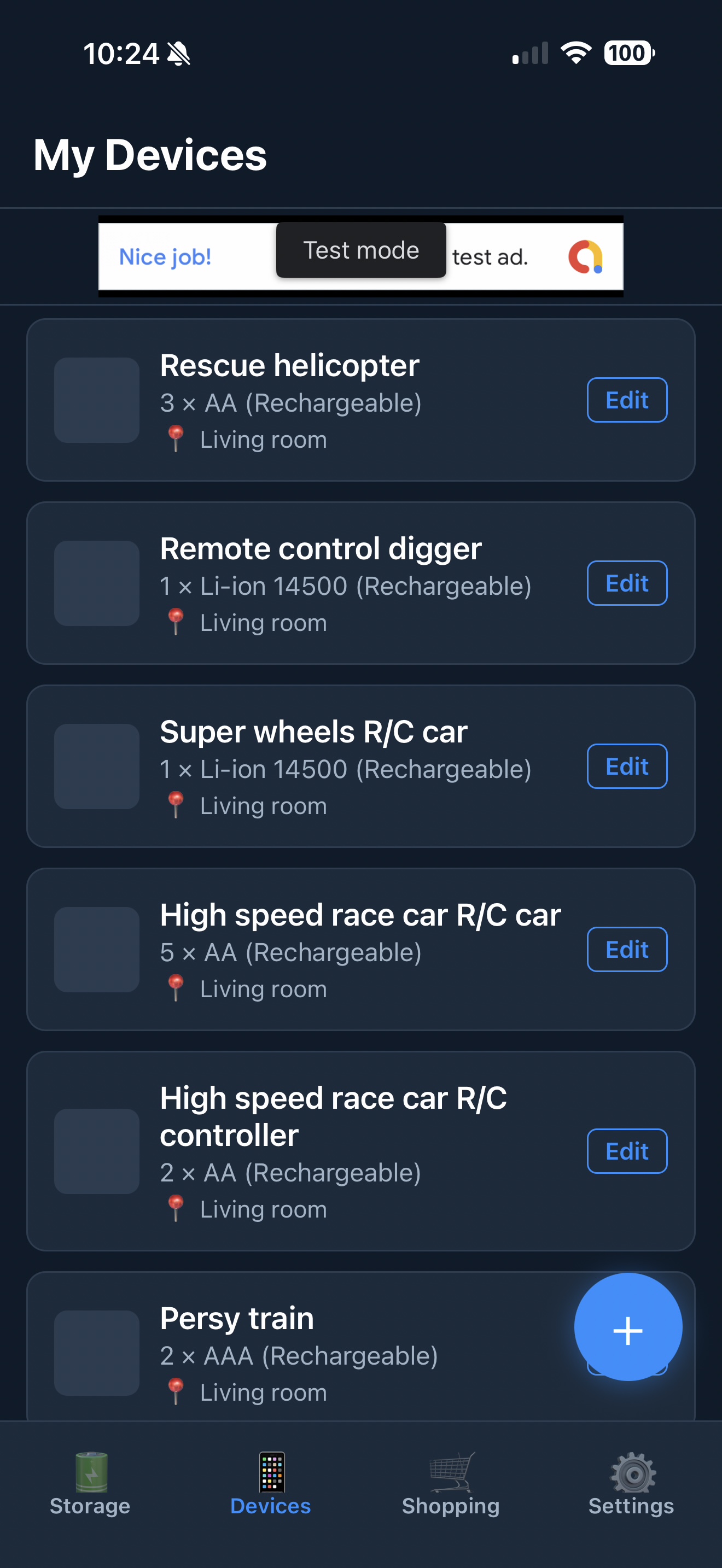
Log every toy, remote, torch and gadget that eats batteries, with its type, quantity, and where it lives. When something gets retired, the app asks if the batteries went back to storage — and updates your count for you.

  • Add a name, battery type, quantity and location
  • Deleting a device offers to return its batteries to stock
  • Search by device or battery type in seconds
My Devices screen showing toy screwdriver, Lego duplo train and other household items
03 — Shopping list

Buy exactly what you're short on

Set a low-stock threshold for any battery type and it lands on your shopping list automatically — so the next supermarket trip is the right one.

  • Low-stock alerts populate the list for you
  • Add anything manually, check items off as you buy
  • Never buy a battery you already had three of
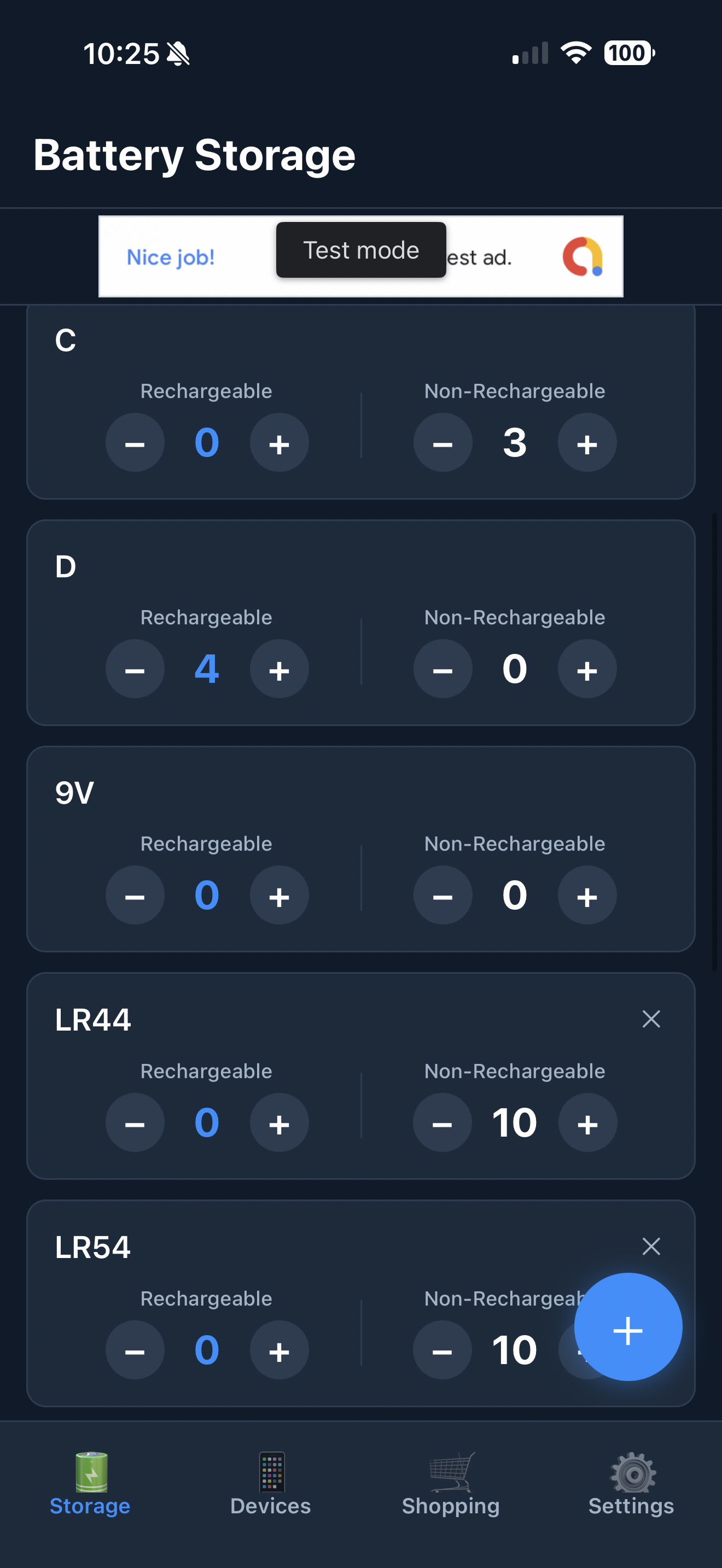
Battery Storage screen showing C, D, 9V, LR44 and LR54 battery types

Your battery drawer is not a data product.

No sign-in, ever

Open the app and start adding batteries. There's no account to create and nothing to remember.

Everything stays on your phone

All your data is stored locally on-device. Nothing is uploaded, synced, or sent anywhere.

Built by one person, for one problem

No growth team, no dark patterns. Just a household tool that does the one job well.

From "no idea" to organised in three steps.

01

Empty the drawer

Tip out every battery you own and log the counts into Storage — rechargeable and non-rechargeable, side by side.

02

Log what's already in use

Add the toys, remotes and gadgets around the house that already have batteries in them, so nothing's double-counted.

03

Let it run itself

Update counts as you go, get warned before you run dry, and let the shopping list tell you exactly what to buy next.

If it's sold at the supermarket, it's already in here.

Every common household battery type comes preset. Got something unusual? Add it as a custom type in seconds.

AA AAA C D 9V CR2032 CR2025 CR2016 LR44 / AG13 18650 A23 / 23A CR123A Li-ion 14500 + Other (custom)

Your battery drawer has been waiting long enough.

Free to download. No account. No catch. Just an app that knows what's in the box so you don't have to.